Step 1. Open the Magic Home Pro App on your smartphone.
Step 2. Click the icon at the upper left corner of the app main screen, you’ll see “Sign in or Create account”, please click it to continue.
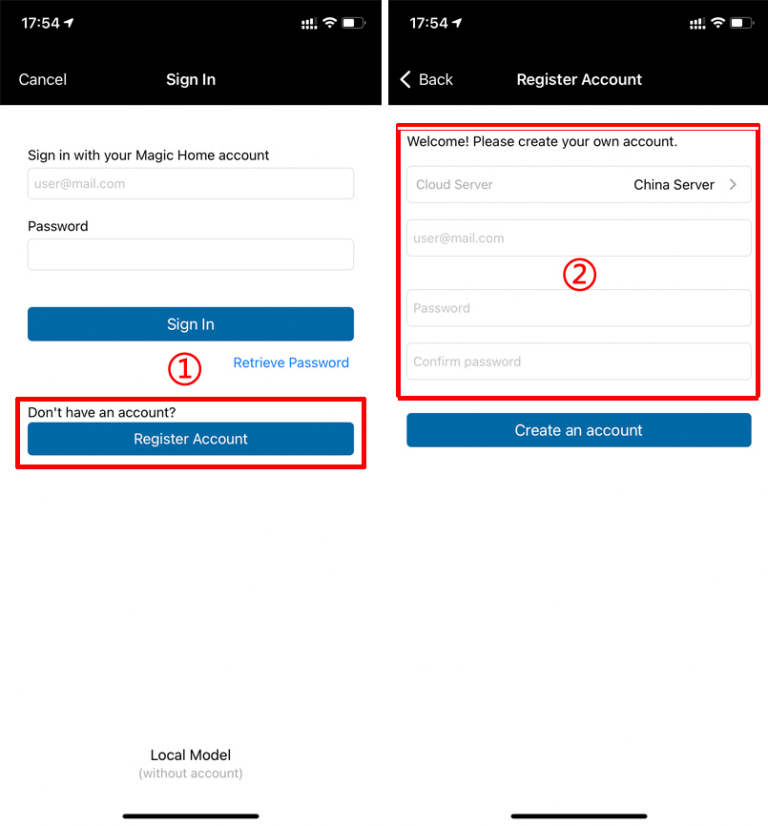
Step 3. Click “Register Account” to input your email/password, then tap “Create an account”.